

Description

Do you constantly battle overflowing inboxes, endless meeting notes, and the tedious back-and-forth of scheduling? For busy freelancers, agency teams, SaaS startups, and business owners, time is money—and admin work is a relentless thief. The 135+ Ready-to-Use Meetings & Inbox AI Automation Workflows is here to help you win back your day. This comprehensive automation toolkit gives you instant access to industry-ready, customizable workflows that overhaul email, meetings, calendar, and communication tasks—so you can focus on building, selling, and growing your business with less stress and more clarity.
What Does This Product Include?
The 135+ Ready-to-Use Meetings & Inbox AI Automation Workflows bundle delivers a turnkey system of automation templates for every major productivity pain point. Inside, you get:
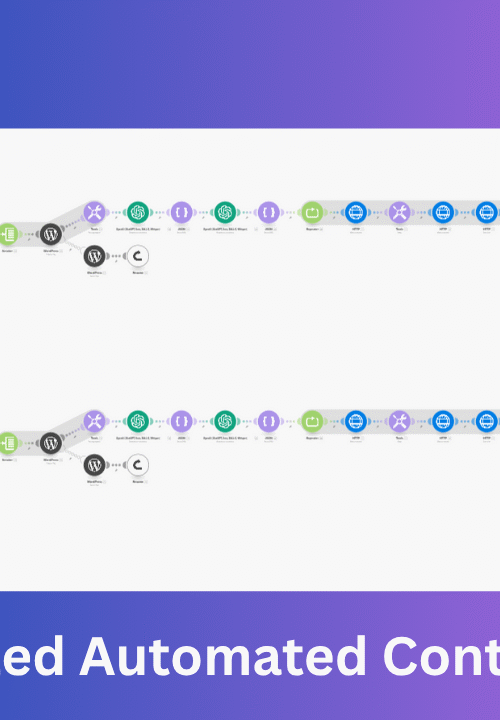
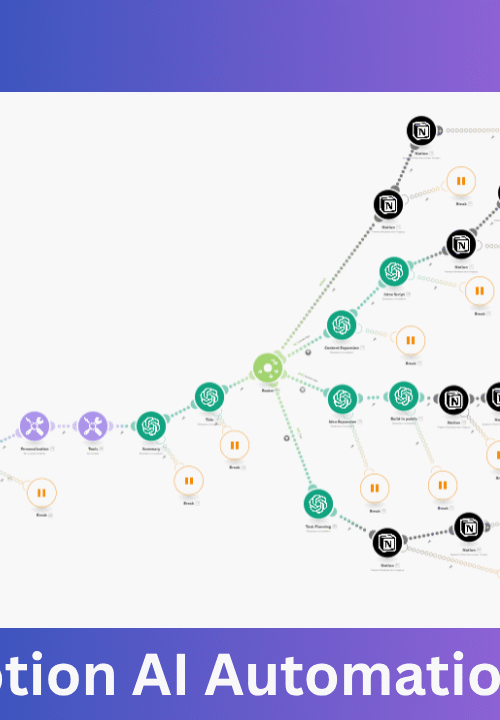
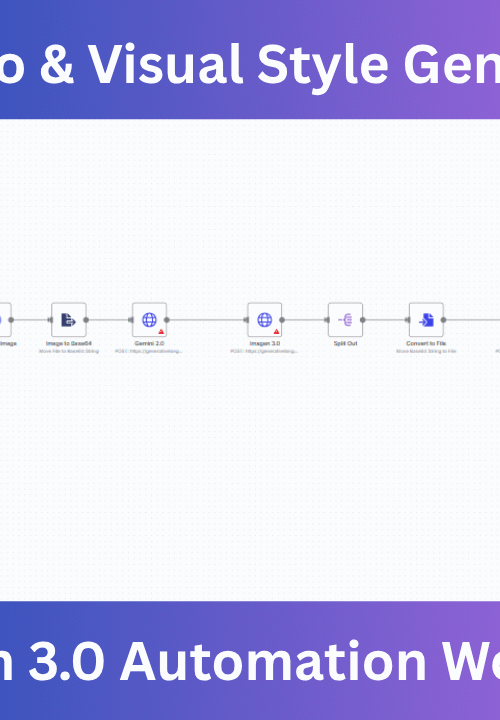
- 135+ plug-and-play automation templates for Make.com, n8n, and other leading automation platforms.
- Ready workflows for Gmail, Outlook, Google Calendar, Slack, Telegram, Zoom, and more.
- Instant integrations with AI tools such as OpenAI GPT for smart replies and meeting summarization.
- User-friendly setup documentation, one-click import files, and code-free customization guides.
- Lifetime access to future updates, new workflows, and feature improvements.
This isn’t just a random assortment of scripts—it’s a holistic automation workflow library purpose-built for knowledge workers, creators, agencies, and businesses. Whether you’re using Make.com or digging into scalable n8n templates, the bundle adapts to your stack and scales with your business. Everything you need to automate communication, collaboration, and admin is inside—no coding or technical headaches required.
Key Benefits, ROI & Cost Savings
- Save Hours Every Week: Auto-sort, triage, reply, and schedule without manual emails or calendar checks.
- Instant Return on Investment: For just $27+, you unlock automation that would cost hundreds monthly in SaaS fees or virtual assistant time.
- Eliminate Errors: Automated summaries, reminders, and replies mean less risk of missed follow-ups or double-booked meetings.
- Scale Without Staff: Add more clients, clients, or projects—your automation never sleeps or complains.
- Single Source of Truth: Centralize reminders, notes, inbox processing, and team notifications.
For example: if you or your assistant spend just 3 hours each week on email triage, meeting notes, and scheduling, that’s over 150 hours/year ($7,500+ value at just $50/hour) instantly reduced with automation.
Business Problems Solved & What You Can Automate
Managing a modern business means drowning in repetitive work—messages, follow-ups, data entry, and updates. The 135+ Ready-to-Use Meetings & Inbox AI Automation Workflows bundle automates it all, including:
- Drafting auto-replies and confirmations in seconds—no template copying needed.
- Real-time meeting transcriptions, task extraction, and digest delivery to your team chat.
- One-click scheduling via shared calendar or direct Slack/Telegram integration.
- Generating clean, actionable summaries after every call or meeting—no more manual note-taking.
- Tagging and organizing client comms and support tickets as they arrive.
- Sending personalized reminders and event updates across platforms.
- Human-in-the-loop approvals for important actions (like high-priority client replies or sensitive meeting bookings).
Tasks that usually suck up your peak hours are now handled automatically—with accuracy, context, and reliability.
Categories of Automations Included
- Email Automation: Auto-replies, workflow labeling, spam filtering, contact lookup, verification, and more for Gmail and Outlook.
- Meeting Management: Scheduling, reminders, note-taking, summarization, transcript analysis, and follow-up extraction across Zoom, Google Meet, and more.
- Daily Digests & Company Updates: Curated reports delivered to email or Slack, from financial insights to tasks overdue notifications.
- CRM & Lead Management: Automated enrichment, contact tagging, task assignment, and deal progress tracking.
- AI-Powered Workflows: GPT-generated summaries, follow-up recommendations, and content drafting via OpenAI APIs.
- Cross-Platform Notifications: Keep your team aligned via Slack, Telegram, or Discord—wherever you work.
- Scheduling & Calendar Sync: Integrate Google Calendar, Outlook, or custom event logic to automatically book, remind, and update attendees.
- Approval Flows: Embed human review steps for sensitive replies or scheduling actions.
If you want even more specialized automations—for CRMs, social media, or voice agents—check out our growing collection of premium automation bundles and AI voice agents to further upgrade your stack.
Highlighted Features
The 135+ Ready-to-Use Meetings & Inbox AI Automation Workflows pack stands out with features built for the real world and rapid adoption:
- Plug-and-Play Setup: Import workflows into Make.com or n8n with one click. No coding—just connect your accounts, set preferences, and go.
- AI Integration: Leverage the latest GPT technology for automated replies, summaries, and smart task extraction (OpenAI powered).
- Detailed Documentation: Step-by-step manuals and in-line comments enable even non-technical users to customize and scale workflows.
- Flexible & Modular: Stack automations, chain new triggers, and create custom flows to fit unique business logic.
- Commercial Rights: Use bundled automations in client work or internal ops—no restrictions.
- Lifetime Updates: Get new templates as technology and business needs evolve.
For those new to automation tools, our free automation templates make it easy to get started with zero risk.
Example Automations
- Smart Meeting Summaries: After every meeting (Zoom/Google Meet), generate an AI-powered summary, extract action items, and deliver formatted notes to your inbox or team Slack automatically.
- Calendar Coordination: Instantly book a mutually available time slot for meetings, send confirmation invites, and trigger timely reminders on both Google Calendar and Slack.
- Email Auto-Reply Bot: For inbound emails, instantly craft a professional reply, attach relevant files or links, and CC the right team member—without lifting a finger.
- Lead Follow-Up System: Whenever a potential client inquires through your website or support chat, schedule a follow-up call, generate a tailored reply, and add them to your CRM automatically.
- Task Extraction & Delegation: After a recorded call or meeting, extract key tasks, assign owners, create reminders, and update team boards with a single workflow.
- Spam, Bounce, and Promo Filter: Instantly filter out unwanted emails using automated rules and AI-based content analysis—keeping your primary inbox clean and actionable.
Every workflow can be customized, so you don’t have to be limited by off-the-shelf logic.
Who Should Use This Pack?
This bundle is perfect for:
- Freelancers and solopreneurs who want to scale their impact without administrative burnout.
- Agencies looking to deliver seamless client comms, reporting, and project management at scale.
- SaaS and startup teams who value automation-first operations and need highly flexible workflow customization.
- Operations leaders or business owners wanting to slash wasted time and reduce payroll dependency on repetitive manual tasks.
- Consultants who serve multiple clients and want efficient multi-channel communication tracking and delivery.
If your team juggles any mix of meetings, emails, scheduling, CRM, and chat—these automations fit right in. You can also use the templates inside client workflows—for even more billable value.
Why this Is the Best Choice
You could build all these automations from scratch, hire a no-code developer, or manage a virtual assistant team. But none match the speed, reliability, and cost-efficiency of this bundle:
- Manual setup: Dozens of hours to configure each integration, at risk of errors and missed opportunities.
- Hiring workflow devs: $50–$200/hour and ongoing overhead—plus wait times for simple tweaks.
- Virtual assistants: Expensive for scale, error-prone, and not instant.
- Other automation tools: Often charge per workflow or user, with limited template libraries and update support.
With the 135+ Ready-to-Use Meetings & Inbox AI Automation Workflows pack, you get a ready-to-run, battle-tested library—saving thousands in setup costs and countless hours every single month. Explore more efficient workflows at our automation workflows home page.
Setup & Onboarding
Setting up automations is fast and stress-free, even for non-technical users:
- Import: Download your chosen workflow template and import it directly into Make.com, n8n, or your favorite supported automation tool.
- Connect: Link your Gmail, Outlook, Slack, Telegram, Google Calendar, and other accounts as prompted. Secure OAuth connections keep data safe.
- Customize: Edit triggers, rules, or messaging to fit your exact business use-case. Detailed documentation and video guides walk you through every step.
- Run: Go live with a single click—monitor logs, set notifications, and measure results from the built-in dashboard.
No code, no technical jargon, and no bottlenecks slowing you down. For more hands-on DIY setups or extensions, check our range of Make.com automation workflows for inspiration.
Manual vs Automated Comparison
| Task | Manual Workflow | Automated Workflow (Using Bundle) |
|---|---|---|
| Inbox Sorting & Labeling | 1+ hour/day, error-prone, requires training | Instant, consistent, AI powered categorization |
| Meeting Summaries & Action Items | 30+ mins/meeting, often incomplete notes | Automatic, actionable AI-generated summaries |
| Scheduling & Follow-Up | Lots of email ping-pong & calendar Tetris | One-click bookings, auto-reminders, no oversight |
| Delivering Daily Digests & Reports | Manual curation, copy-paste, possible omissions | Automated, fully formatted, on schedule |
| Personalized Auto-Replies | Template fishing, slow response times | Instant, AI-personalized, context-aware |
Case Study
Meet Sofia—an agency founder who managed a remote team across 3 time zones:
Before using the 135+ Ready-to-Use Meetings & Inbox AI Automation Workflows, Sofia spent over 8 hours/week on scheduling calls, prepping meeting notes, and following up with leads. After implementing the workflows in n8n, she:
- Reduced scheduling and confirmation time from 45 minutes per client to just 2-3 minutes.
- Never missed a client follow-up—automated replies and digests were sent even while she slept.
- Saw a 70% improvement in team meeting efficiency—everyone had access to structured summaries and task lists right after each call.
- Eliminated the need for a part-time VA, saving $450/month, and scaling confidently as her client roster grew.
Now Sofia’s team focuses on strategic growth, not repetitive admin—thanks to powerful, ready-to-use automations.
Security & Reliability
The bundle leverages secure, enterprise-grade tools like Make.com and n8n for zero-trust data flows. OAuth authentication means your passwords are never shared. Every workflow is peer-reviewed, user-tested, and includes built-in error handling—so you can trust automations with your most sensitive communications.
All data remains on your chosen platforms, and robust audit logs make compliance easy for regulated industries. Plus, we regularly review and update security best practices with each release.
Bonus Value
- Lifetime Access: Pay once, use forever. Never pay monthly renewal fees.
- Continuous Updates: Receive new automation templates, platform upgrades, and AI improvements as they are released.
- Commercial Rights: Deploy automations internally or within client projects for unlimited use—unleash new revenue streams as a consultant or agency.
As a valued customer, you also get priority access to members-only tutorials and workflow best practices.
Updates & Roadmap
We’re committed to keeping the 135+ Ready-to-Use Meetings & Inbox AI Automation Workflows future-proof. Upcoming roadmap features include:
- Expanded AI model options (Claude, Gemini, etc.)
- Deeper CRM integrations (HubSpot, Pipedrive, Notion, and more)
- Pro-level workflow analytics dashboards
- Real-time collaborative workflow editing
- Priority on-request template development for enterprise users
Guarantee
Try the 135+ Ready-to-Use Meetings & Inbox AI Automation Workflows bundle risk-free—love the automation or get a full, prompt refund within 14 days. That’s how confident we are in delivering exceptional, outsized value to your business.
FAQs
- Is any coding or technical background required?
- No. All workflows are fully documented with one-click import. Customize using visual editors—no tech expertise needed.
- What platforms are supported?
- The bundle covers Make.com, n8n, plus guides for adapting logic to similar platforms like Zapier or Pabbly.
- Can I use these automations for my clients?
- Yes! Commercial rights are included. Deploy templates within your client projects or agency retainer work—no additional licensing required.
- How often is the bundle updated?
- We release new workflows and platform updates frequently—lifetime access ensures you always have the latest time-saving automation toolkit.
- What if I need customizations or support?
- We provide chat support for setup, plus detailed documentation and community tutorials. For custom automations, explore our premium automation bundles or reach out for bespoke workflow builds.
- Can I test before buying?
- Absolutely! Try our free automation templates to see how easy it is to automate with zero risk.
Conclusion
Stop letting manual emails, clunky meetings, and repetitive reminders hold your business back. The 135+ Ready-to-Use Meetings & Inbox AI Automation Workflows bundle gives you the proven automations used by top-performing teams—without the engineering headaches or monthly SaaS costs.
Whether you’re building a lean startup, scaling agency operations, or just want your team to communicate smarter, this toolkit helps you reclaim your time, reduce errors, and focus on what matters. Future-proof your operations and unlock next-level productivity—get started today with the industry’s most complete ready-to-use automation pack or explore more solutions at our automation workflows portal.